
Chapter 8: Security and User Authentication
Preface
Xiaoming had gotten the backend for his "personal Douban" app up and running. CRUD was working fine, and the APIs now had validation and pagination. His friends had tried it out for a few days and all said it was pretty good. He figured it was just about ready, so it was time to push the code to GitHub—partly as a backup, partly to show his friends what he had built.
git add ., git commit, git push. Done in one smooth flow.
Ten minutes later, he received an email—from OpenAI:
"Your account has incurred $127.43 in API usage charges over the past 10 minutes."
Xiaoming froze. He hadn't used any AI features at all that day. He opened the OpenAI dashboard and saw the API logs scrolling like crazy—dozens of calls per second, all from unfamiliar requests. Panicked, he rushed to check his GitHub repository, and his heart sank—there was the .env file in plain sight, with OPENAI_API_KEY sitting right inside it for anyone to see.
What he didn't know was that there are thousands of automated bots on the internet scanning every single GitHub commit 24/7. They don't care whether your code is good or bad. They're only looking for one thing: secrets. On average, it takes just 5 minutes from the moment a secret appears in a public repository to the moment it's abused. Xiaoming's key was exposed the instant he ran git push.
He quickly deleted the .env file from GitHub and pushed again. But the old hand shook his head: "Too late. Git records the history of every commit. What you deleted was only the latest version. Anyone who checks the commit history can still find the key there."
That was when Xiaoming realized how serious this was. He spent the entire evening rotating every secret, scrubbing the Git history, and reconfiguring environment variables. The $127 bill was the least of it. What really scared him was this—what if it hadn't been an OpenAI key that leaked, but the database password instead? User emails, password hashes, personal information—everything exposed.
After watching him finish all that cleanup, the old hand said one thing: "No matter how good your code is, if your secrets leak, none of it matters. Security isn't something you sprinkle on after the features are done—it's something you have to think about from the very first line of code."
That experience taught Xiaoming a lesson. He started to realize that there's still a long road between building an app that "works" and building one that's actually "secure."
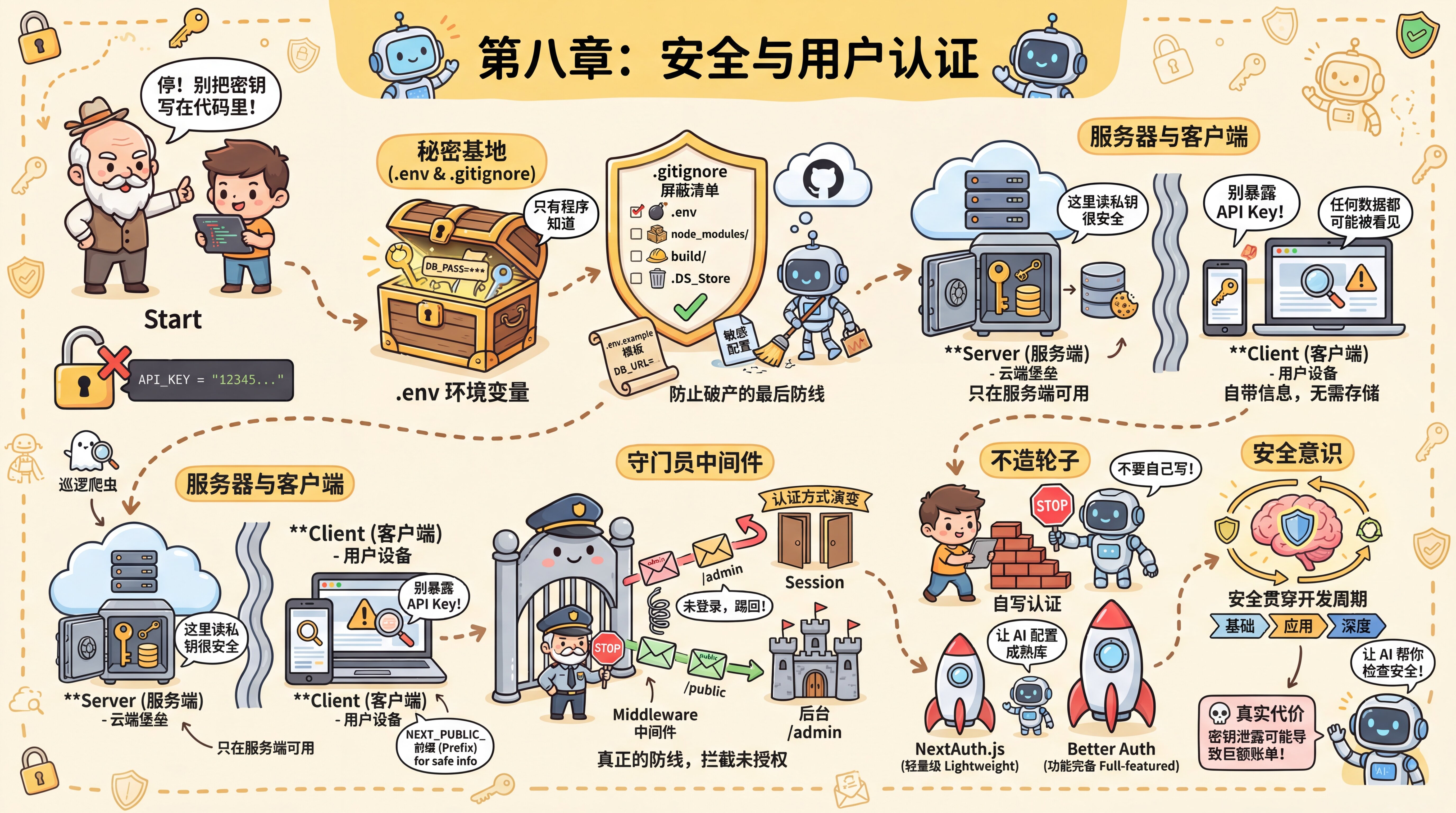
Starting from Xiaoming's hard-earned lesson, this chapter will help you build a complete security mindset:
- How to manage secrets—environment variables,
.gitignore, and cloud configuration so secrets never appear in your code - How to identify users—the principles behind registration and login, and why you should use a mature auth library instead of writing your own
- How to protect routes—Middleware, CORS, and access control to make sure every request is checked
- How to investigate issues—a troubleshooting guide for everything from "the config didn't take effect" to "a secret has been leaked"
- How to defend against deeper threats—SQL injection, XSS, CSRF, and security issues specific to AI applications
You don't need to learn all of this at once. In 8.0, you'll first get a user system running to build intuition; in the later sections, you can come back and look things up when you run into specific problems.
Sections in This Chapter
| Section | Content |
|---|---|
| 8.0 Quick User System Example | Use Better Auth to get registration, login, and protected pages working, and build intuition for authentication |
| 8.1 Secret Management and Environment Variables | .env, .gitignore, Server vs Client boundaries, and cloud configuration |
| 8.2 Authentication Methods and Choosing an Approach | Session vs Token, OAuth, Passkeys, Better Auth vs other approaches |
| 8.3 Route Protection and Access Control | Middleware, CORS, page-level vs API-level protection, and role permissions |
| 8.4 Security Checks and Troubleshooting | Checklists for before/during/after development + a symptom → cause → solution diagnostic guide |
| 8.5 Advanced Security Protection | Protection against SQL injection/XSS/CSRF, AI application security, and dependency auditing |
Previous Chapter:Chapter 7: Backend API Development
Next Chapter:Chapter 9: Functional Testing Workflows and Automation Scripts