
14.1 VPS Buying Guide
Goal of this section: Understand the differences between major cloud providers and choose a VPS that fits your needs.
Xiaoming opens the websites of various cloud providers and feels overwhelmed—Alibaba Cloud, Tencent Cloud, AWS, DigitalOcean... every one of them is shouting "limited-time deals." He clicks into Alibaba Cloud and sees a bunch of terms like "ECS," "Lightweight Application Server," and "Preemptible Instance," with no idea how they differ. Then he checks AWS—an all-English interface, and it even requires linking a credit card.
The experienced mentor says: "Don't panic. Buying a server is like renting an apartment—you need to consider location, size, and price, but the most important thing is whether it fits your current needs. The most common mistake beginners make is buying an overly expensive configuration right away, only to have 90% of the resources sitting idle."
What is a VPS?
A VPS (Virtual Private Server) is basically a computer you rent in the cloud. It runs 24/7, has a public IP, and you can remotely log in and install whatever you want. The only real difference from your own computer is that it doesn't have a screen—you can only operate it through the terminal.
Major Cloud Providers
Prices and promotions change frequently, so check the official websites directly for the latest plans:
Domestic providers (Chinese console, Alipay/WeChat payment):
- Alibaba Cloud ECS / Lightweight Application Server — The most complete domestic ecosystem, with extensive documentation
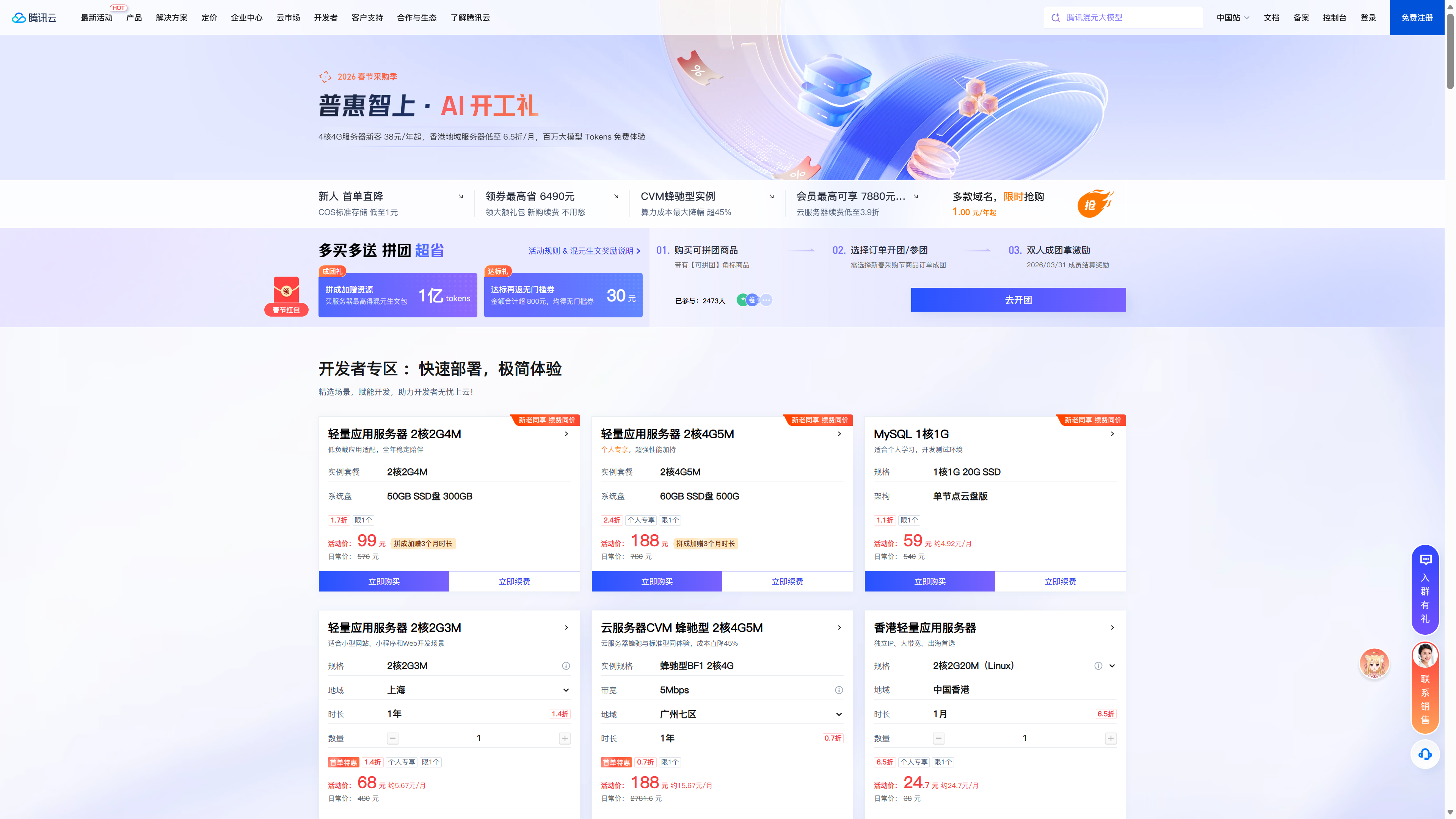
- Tencent Cloud Lightweight Application Server — Strong discounts for new users, with a beginner-friendly console
International providers (credit card/PayPal required, mainly English interface):
- AWS — Many global regions, stable enterprise-grade platform
- DigitalOcean — Clean interface, great developer experience
- BandwagonHost — Hong Kong/Japan regions are friendly for access from mainland China
- RackNerd — Great value, with frequent Black Friday/New Year specials
Recommendations for beginners
Domestic providers almost always offer discounts for new users, and first-year pricing is usually only 10%-30% of the regular price. Before buying, search for "XX Cloud new user discount." For international providers, watch for Black Friday and similar promotions—annual plans are often the best value.
Configuration Recommendations
Server specs mainly come down to four parameters:
| Parameter | Small Web App (starting point) | Medium Full-Stack Project |
|---|---|---|
| CPU | 2 cores | 2-4 cores |
| Memory | 2GB | 4GB+ |
| Storage | 40GB SSD | 60GB+ SSD |
| Bandwidth | 3-5Mbps | 5-10Mbps |
Xiaoming hesitates for a while while looking at the specs table. His project is a Next.js full-stack app with a database, and he also wants to install a monitoring panel—so at least 2 cores and 2GB of memory are necessary. But the 4GB option costs twice as much, so he decides to start with 2GB and upgrade later if needed.
The mentor shares his experience: "Memory matters more than CPU. If you're running Node.js + a database + the 1Panel dashboard, 2GB of memory is the bare minimum. On a 1GB machine, once you install the panel, there's barely any headroom left." When your computer slows down because you have a dozen browser tabs open, the issue usually isn't that the CPU can't keep up—it's that you've run out of memory. The same principle applies on servers.
The bandwidth trap
For domestic cloud providers, bandwidth is usually dedicated bandwidth. 1Mbps means you can transfer at most 128KB of data per second—loading a photo taken on a phone can take several seconds. Your home internet is probably 100Mbps, which is 100 times faster. International providers usually offer shared high bandwidth (100Mbps-1Gbps), but some charge based on traffic usage. Be sure to check carefully before buying. Dedicated bandwidth is like a fixed-speed home broadband plan—you have that speed cap whether you use it or not. Shared bandwidth is like a mobile data plan—fast, but you pay for how much you use.
Choosing a Data Center Location
| Location | ICP Filing Required | Access Speed from China | Recommended Scenario |
|---|---|---|---|
| Mainland China | ICP filing required | Fastest | Official commercial projects |
| Hong Kong, China | No filing required | Fast (30-60ms latency) | Top choice for personal projects |
| Singapore | No filing required | Fairly fast (60-100ms latency) | For Southeast Asia users |
| Tokyo, Japan | No filing required | Fairly fast (50-80ms latency) | Backup option |
| U.S. West Coast | No filing required | Slow (150-200ms latency) | For overseas users |
Xiaoming studies the table. Mainland China nodes are the fastest, but require filing. U.S. nodes are the cheapest, but the latency is too high. He hesitates between Hong Kong and Singapore—both don't require filing, but Hong Kong has lower latency, and Tencent Cloud happens to have a new-user discount for its Hong Kong region.
The mentor emphasizes: "Hong Kong is the best first choice for beginners. No filing required, fast access from mainland China, and you can start using it immediately after purchase. Once your project truly needs to target mainland China users, then you can consider filing and migrating to a domestic region." ICP filing means registering your website information with the Ministry of Industry and Information Technology, similar to needing a business license to open a store—you need to submit documents and wait for approval, which usually takes 1-2 weeks.
Choosing an Operating System
| System | Recommendation | Reason |
|---|---|---|
| Ubuntu 22.04/24.04 LTS | Highly recommended | Largest community, most tutorials, officially supported by 1Panel |
| Debian 12 | Recommended | Lighter than Ubuntu, very stable |
| CentOS Stream 9 | Not recommended | CentOS 8 has reached end of maintenance, and its ecosystem is shrinking |
| AlmaLinux / Rocky Linux | Optional | Alternatives to CentOS, commonly used in enterprise environments |
On the purchase page, Xiaoming sees a long list of operating system options: CentOS, Debian, Ubuntu, AlmaLinux... He almost chooses the first-listed CentOS, but the mentor quickly stops him: "CentOS 8 is already out of maintenance. It's better to choose an OS that's still actively supported."
Why choose an LTS version?
LTS (Long Term Support) is like a "long-term support version" of a phone OS—the vendor promises to provide patches for 5 years. Non-LTS versions are only supported for 9 months, and after that, if a security vulnerability appears, no one will fix it. In production environments, you should always choose LTS.
Xiaoming sees that Ubuntu has two LTS versions, 22.04 and 24.04, and doesn't know which one to pick. The mentor says: "Just go with the latest LTS. It has a longer support lifecycle and newer packages."
Purchase Considerations
Take advantage of new-user deals: Nearly all cloud providers offer discounts for new users, usually at 10%-30% of the regular price. Before registering a new account, search for "XX Cloud new user discount."
Billing model: Annual or monthly subscriptions are like signing a yearly apartment lease—the monthly cost is lower. Pay-as-you-go is like staying in a hotel—you can check out anytime, but the unit price is higher.
- Annual/monthly subscription: Best for long-term use, lower cost
- Pay-as-you-go: Charged hourly, suitable for temporary testing, delete it when you're done
Traffic limits: Some plans look cheap, but only include 500GB or even less traffic per month. If your website has images or videos, traffic can be consumed quickly.
Renewal pricing: The first-year promotional price and the renewal price may differ by 3-5 times, so check the renewal cost carefully before buying.
While placing the order, Xiaoming notices the pay-as-you-go option—it looks like it only costs a few mao per hour, and the monthly total doesn't seem too high. The mentor reminds him: "Your project needs to run long-term, so an annual or monthly plan is much more cost-effective. Pay-as-you-go is better for temporary testing—something you run for a few hours and then delete." Xiaoming switches to the annual/monthly option, chooses a one-year term, and sure enough, the price drops significantly.
Don't forget the security group
A lot of beginners buy a server, excitedly install their app, and then find that they can't open it in the browser. In most cases, it's because the security group hasn't opened the required ports. We'll cover this in detail in the next section.
Xiaoming places the order. A few minutes later, a new machine appears in the console, with the status showing "Running." He gets an IP address, the username root, and a random password.
"That's it?" Xiaoming can hardly believe it—he spent less than a hundred yuan and now owns a server that runs 24/7. "What do I do next?"
Next step
Finished choosing your server? The first thing we need to do next is not install the app, but 14.2 VPS Initialization and Security Configuration—lock down the server's "doors and windows" first.