
12.2 Deploying to Vercel-Like Platforms
Goal of this section: Understand the deployment workflow for Vercel and similar platforms, and choose the platform that best fits your project's needs.
After Xiao Ming deployed "Personal Douban" to EdgeOne Pages, a friend asked, "I want to deploy my own project too, but most of my users are overseas. Which platform should I use?"
That's a great question. EdgeOne Pages is a good fit for users in China, but it's far from the only deployment platform out there. The good news is that everything you learned in 12.1—connecting GitHub, configuring builds, and setting environment variables—works the same on every platform. The only differences are what the UI looks like, how generous the free tier is, and where access is fastest.
Platform Overview
Let's start with a bird's-eye view to understand how the major platforms are positioned:
| Platform | Access from China | Free Tier | Highlights | Best For |
|---|---|---|---|---|
| Vercel | Slower (custom domain required) | 100 GB bandwidth/month | Official Next.js platform, best developer experience | Overseas users, personal projects |
| Cloudflare Pages | Faster | Unlimited bandwidth | Global CDN, Workers edge computing | Static-first sites, can deploy Next.js |
| Alibaba Cloud ESA | Fast | Free tier available | Alibaba Cloud ecosystem, fast access in China | Users in China, Alibaba Cloud users |
| Netlify | Slower | 100 GB bandwidth/month | Built-in form handling and authentication | Static sites, JAMstack |
| Railway | Average | $5 free credit/month | Supports databases and backend services | Full-stack apps, backend required |
You don't need to memorize the details of every platform. Next, we'll look at the most important ones one by one, and you'll see that the core workflow is exactly the same.
Vercel: Next.js's "Parent Company"
Vercel is the creator of Next.js and the officially recommended deployment platform for Next.js projects. If your project uses Next.js, Vercel gives you the smoothest deployment experience—it supports every Next.js feature natively, with no extra configuration required.
Deployment Workflow
Option 1: Deploy through the web UI (recommended for beginners)
Open vercel.com and sign in with your GitHub account.
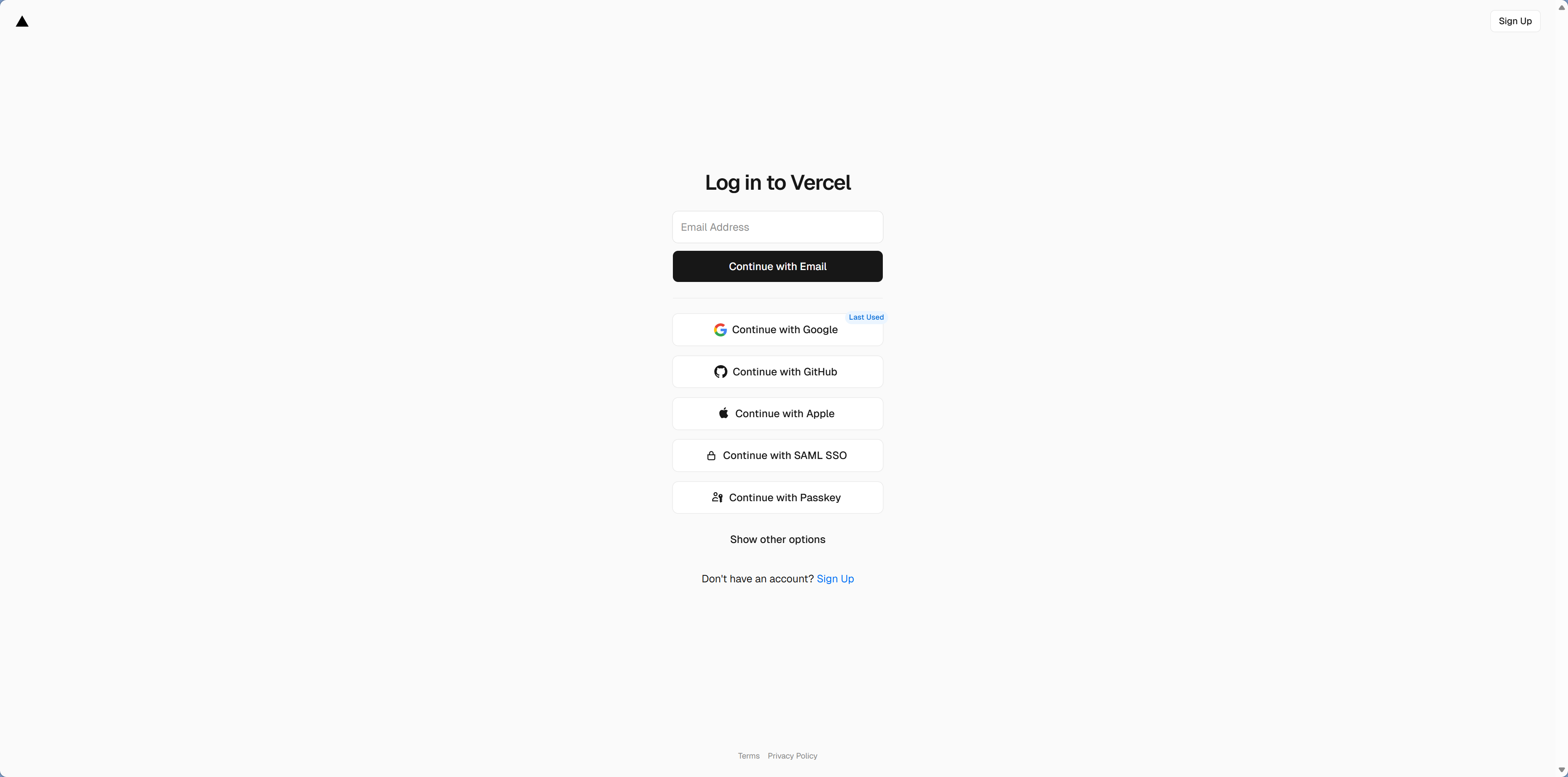
Click Add New → Project and choose your GitHub repository. Vercel will automatically detect the Next.js framework, so you usually won't need to change much.
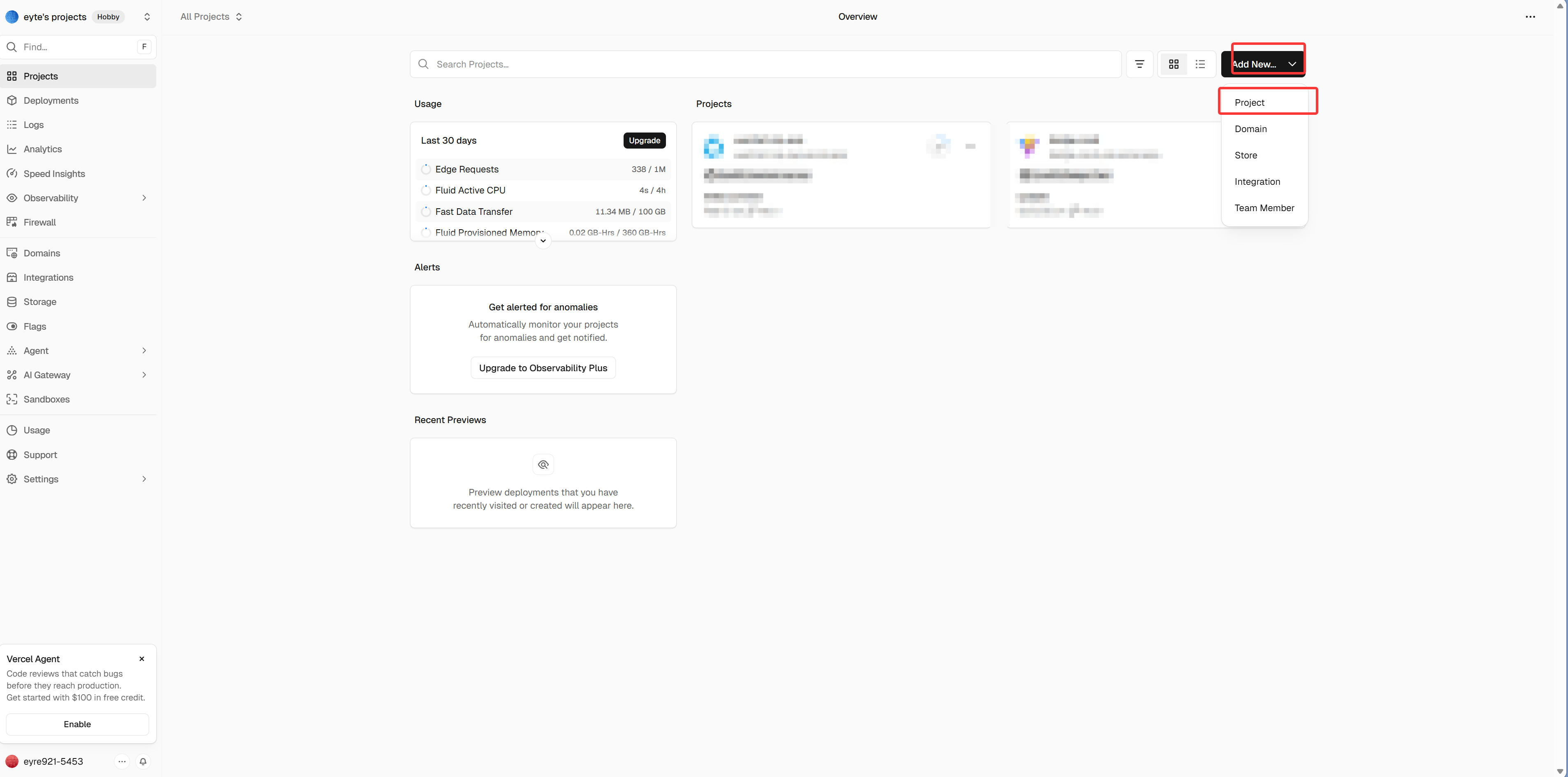
You only need to do two things:
- Add environment variables (same as EdgeOne—paste in the contents of
.env) - Click Deploy
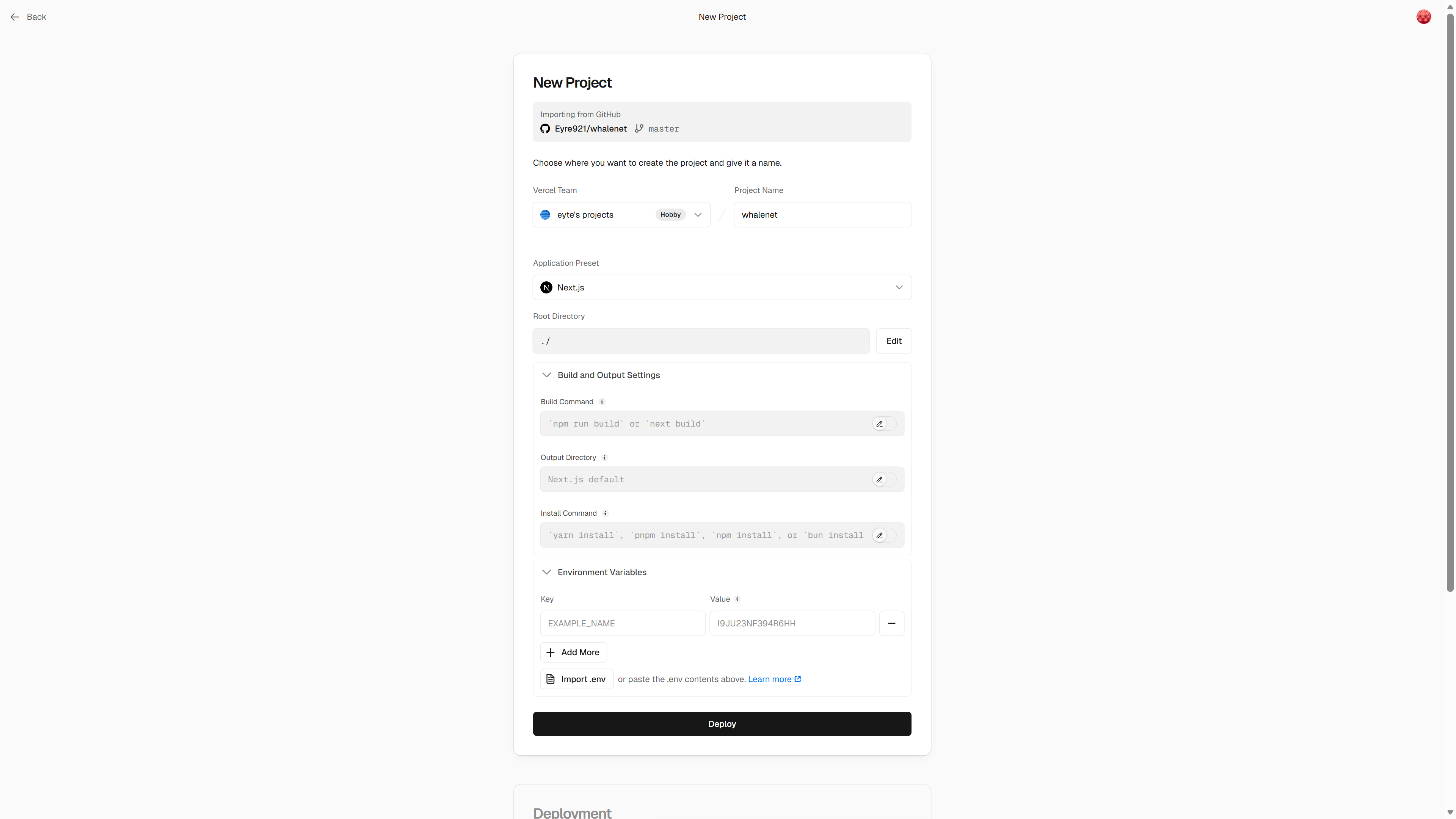
Once deployment succeeds, you'll get a link like xxx.vercel.app.
Option 2: Deploy from the command line (faster)
If you prefer the command line, you can use the Vercel CLI:
# Install Vercel CLI
npm i -g vercel

# Log in (will open browser for authorization)
vercel login

# Deploy (will ask for project config on first run)
vercel deploy

# Deploy to production
vercel --prod
The first time you run vercel deploy, the CLI will ask for the project name, whether to link to an existing project, and so on. After that, each vercel deploy becomes a one-command deployment, much faster than using the web UI.
The whole process is almost identical to EdgeOne—connect GitHub, configure the build, set environment variables, and click deploy.
Vercel access issues in China
The *.vercel.app domain is not stable when accessed from China. The solution is to bind a custom domain and then use Cloudflare as a DNS proxy for acceleration. Domain configuration is covered in Chapter 13.
Vercel's Unique Advantages
Vercel doesn't just "deploy your app"—it also does a lot of extra work to improve the developer experience.
Preview Deployments are the most practical feature. Every time you create a Pull Request, Vercel automatically generates a separate preview link for that PR. You can send this link to friends so they can see the result before the code is merged. This pairs perfectly with the PR workflow you learned in Chapter 11—you can review code and test features directly from the preview link at the same time.
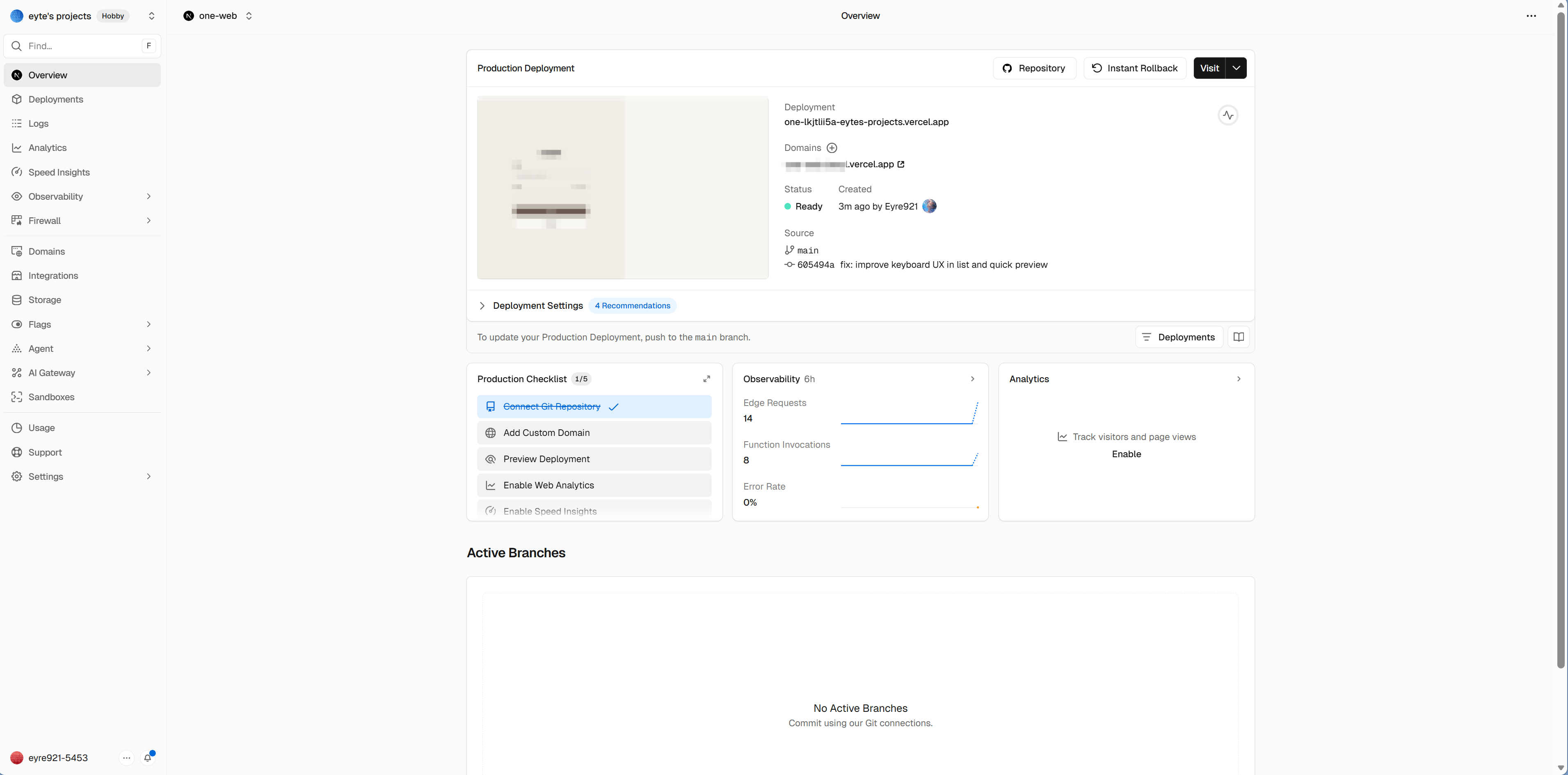
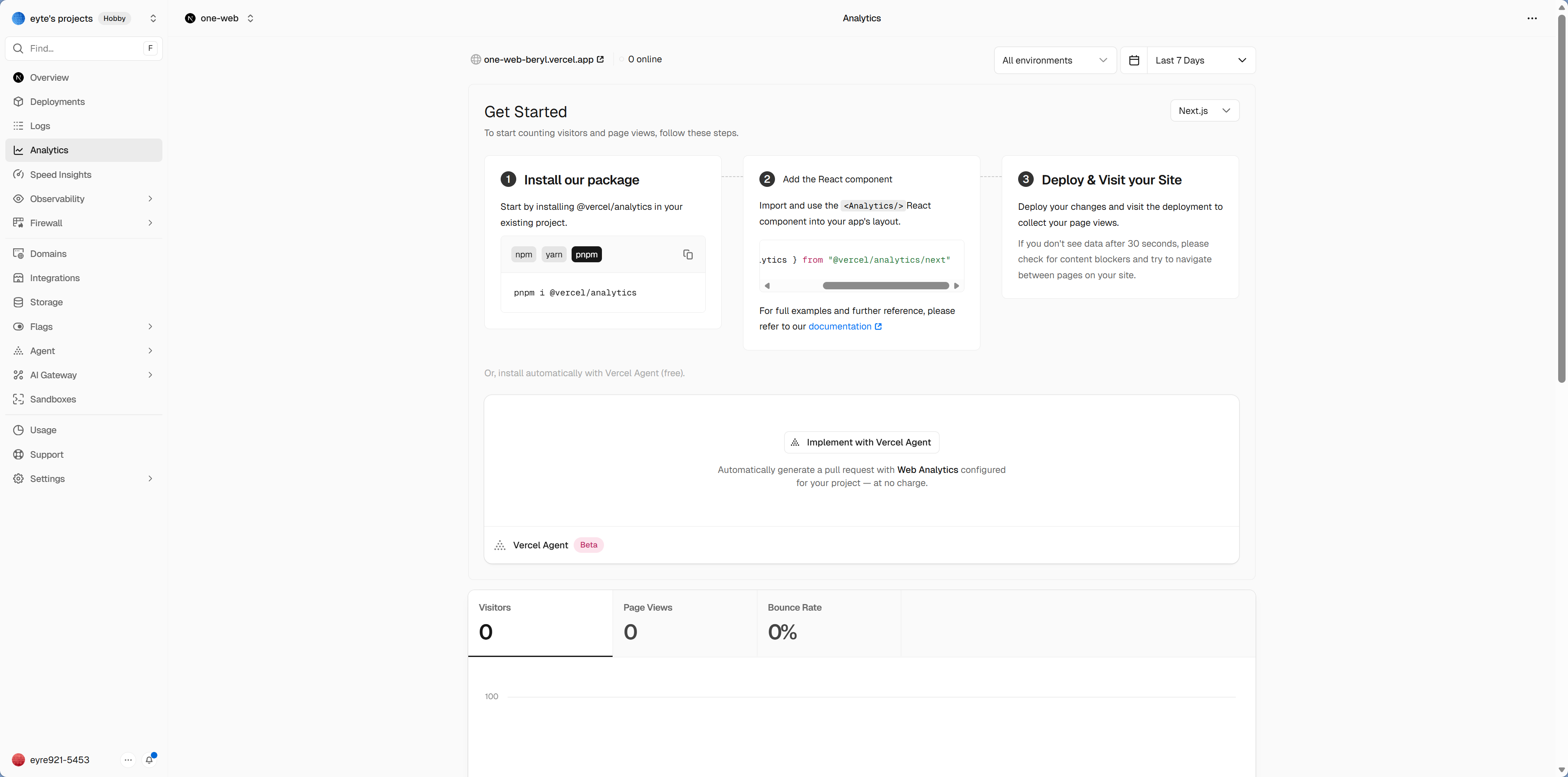
The analytics dashboard is one of Vercel's value-added features, but in most cases you'll only get complete data after integrating the corresponding components into your project (such as Analytics / Speed Insights). For the exact setup steps, it's best to follow the Vercel dashboard and official documentation directly, since the entry points may vary by framework version and plan.
Edge Functions replicate your code across CDN nodes around the world. Normally, your API routes run on one fixed server—whether the user is in Beijing or New York, every request has to travel to that same location for processing. Edge Functions allow that dynamic logic to run closer to the user, so requests are handled at the nearest node instead of taking a detour.
Cloudflare Pages: The Appeal of Unlimited Bandwidth
The biggest selling point of Cloudflare Pages is unlimited bandwidth—the free plan has no traffic limit. For personal projects, that means you don't have to worry about bandwidth costs at all. Even if one of your articles suddenly goes viral and brings in a flood of traffic, you won't be charged extra.
Quick Deployment Walkthrough
If you want to quickly try out the process of deploying Next.js on Cloudflare Pages, you can go directly to:
https://workers.new/templates/next-starter-template
This is a quick-start launcher for a Next.js template provided by Cloudflare. After clicking it, it will automatically:
- Create a new repository under your GitHub account (based on the Next.js template)
- Connect it to Cloudflare Pages
- Complete the first deployment automatically
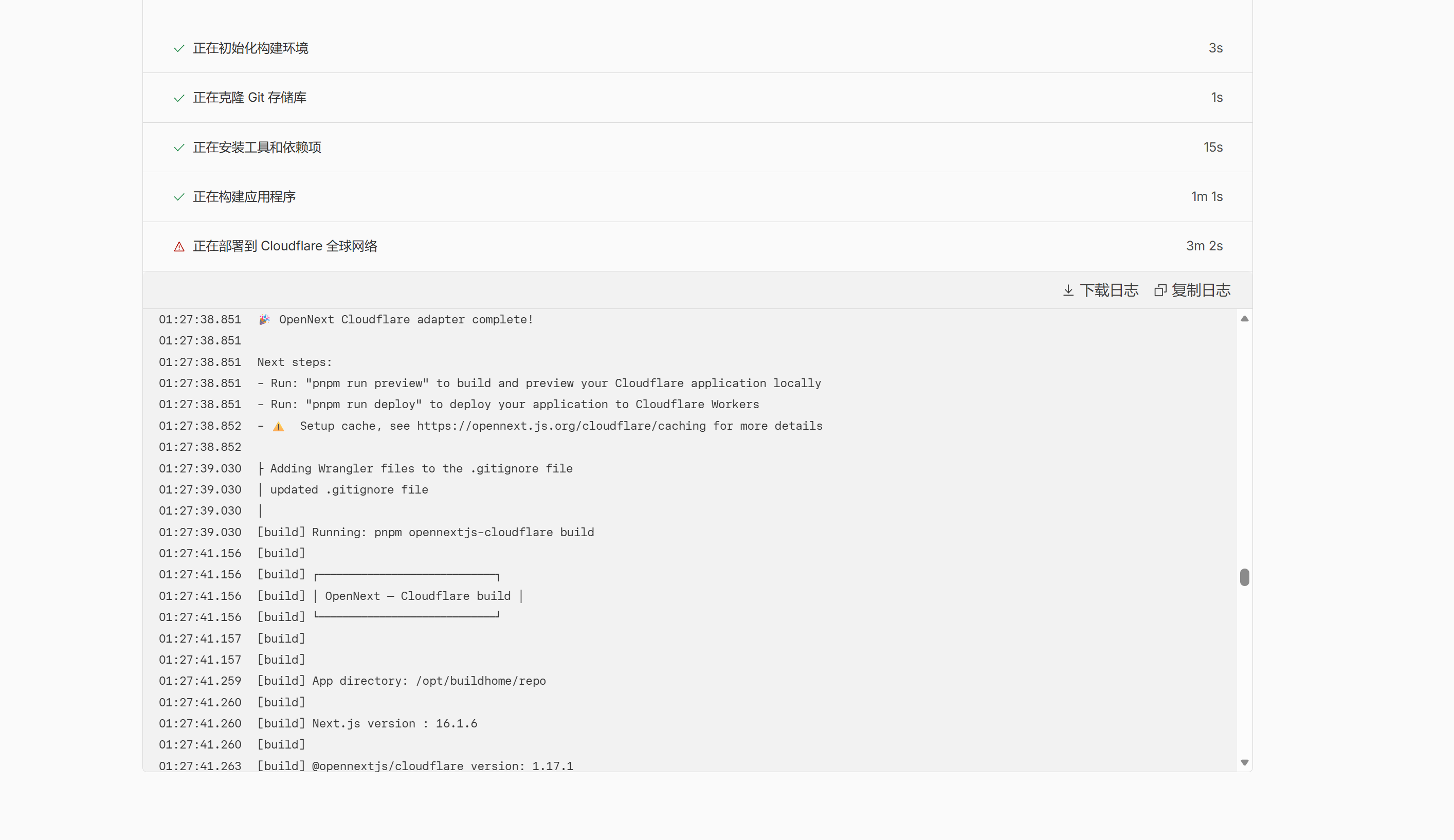
The whole process takes less than 2 minutes, and you'll have a Next.js app running on Cloudflare's edge network. This is the fastest way to experience what the platform can do—afterward, you can turn that template repository into your own project, or follow the steps below to deploy an existing project.
Deploy an Existing Project
If you want to deploy your own Next.js project:
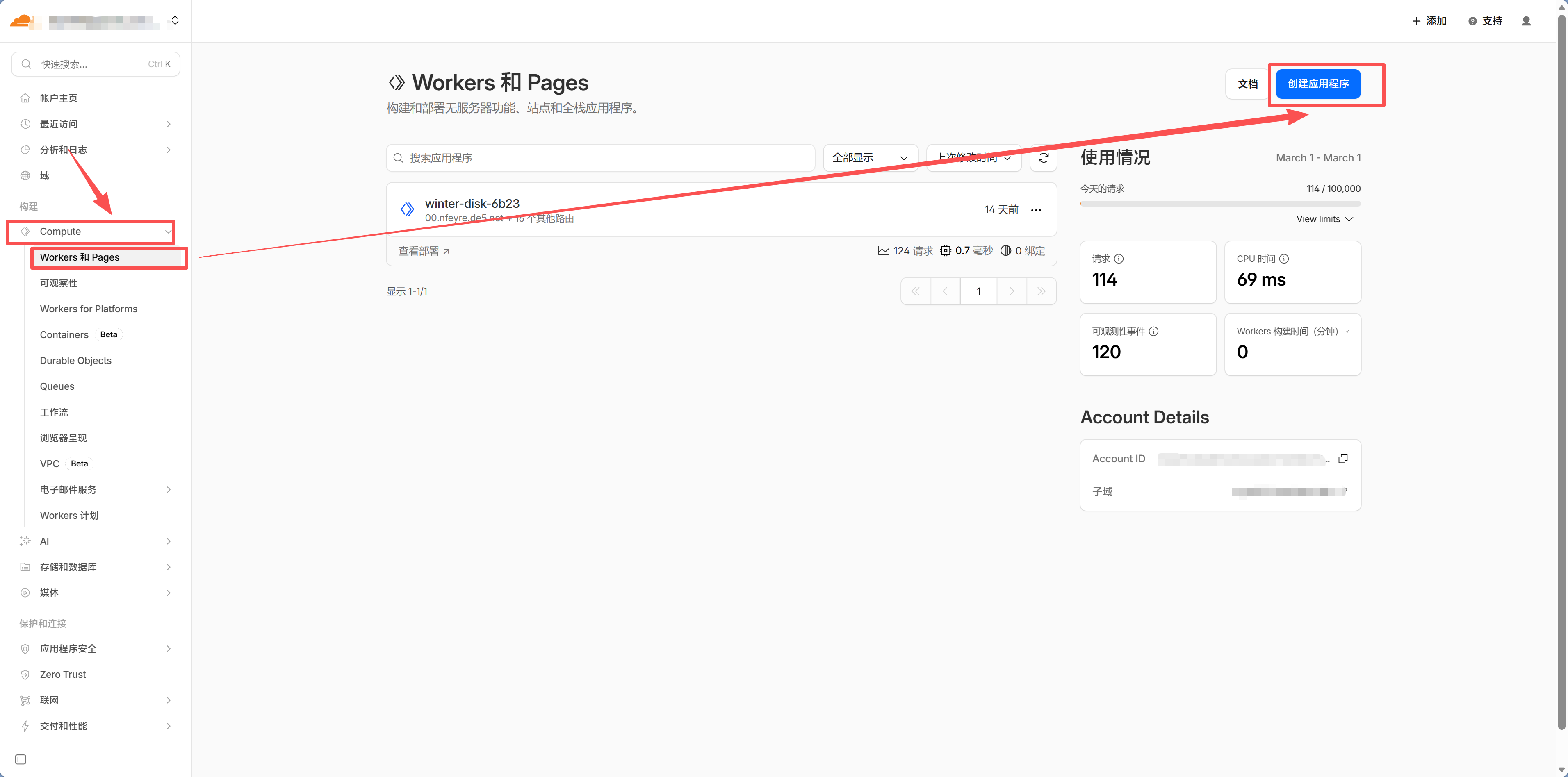
- Sign in to Cloudflare Dashboard
- Go to Workers & Pages → Create
- Connect GitHub and choose the repository
- Configure the build settings (select Next.js as the framework preset)
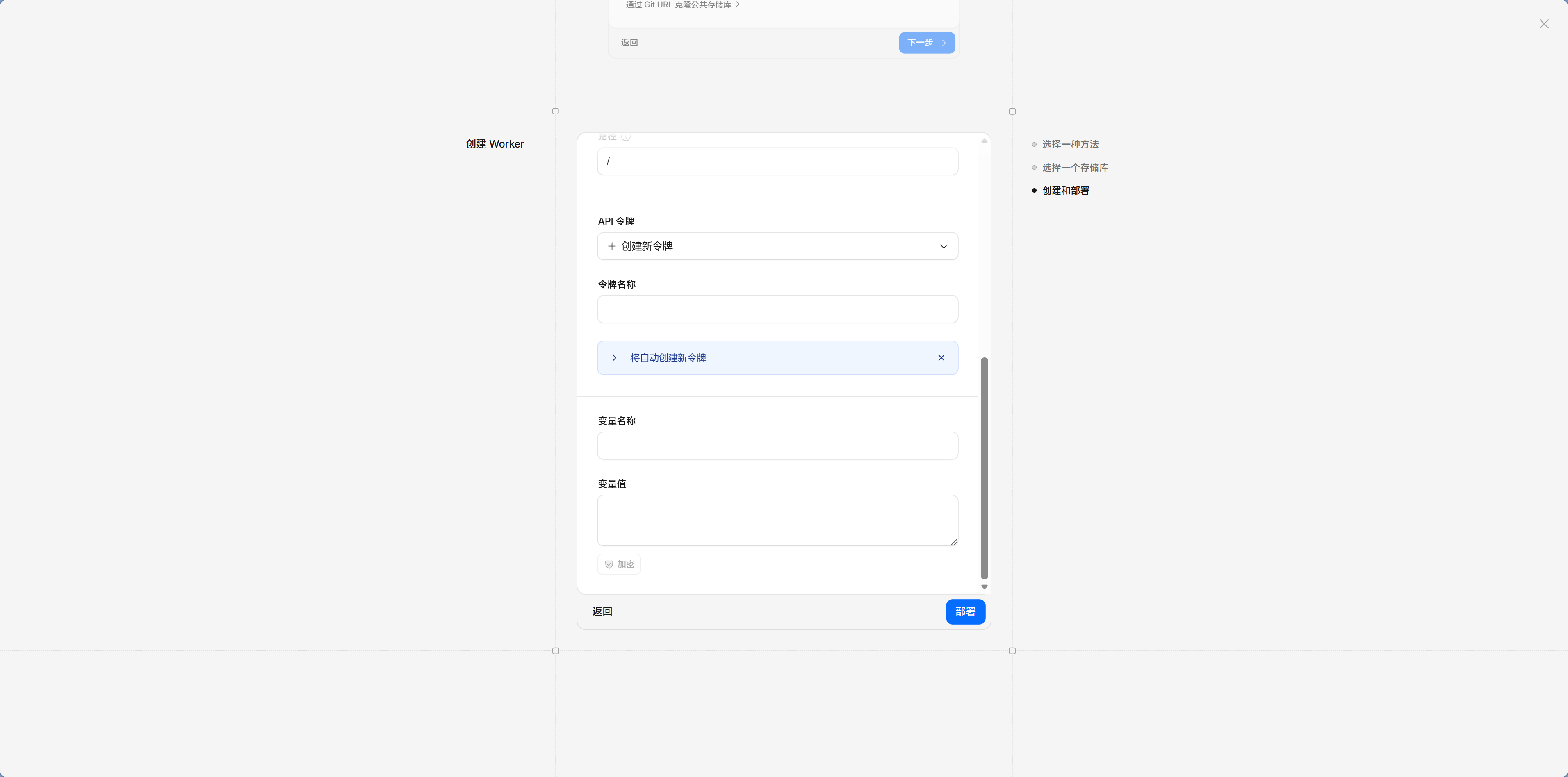
- Add environment variables
- Click deploy
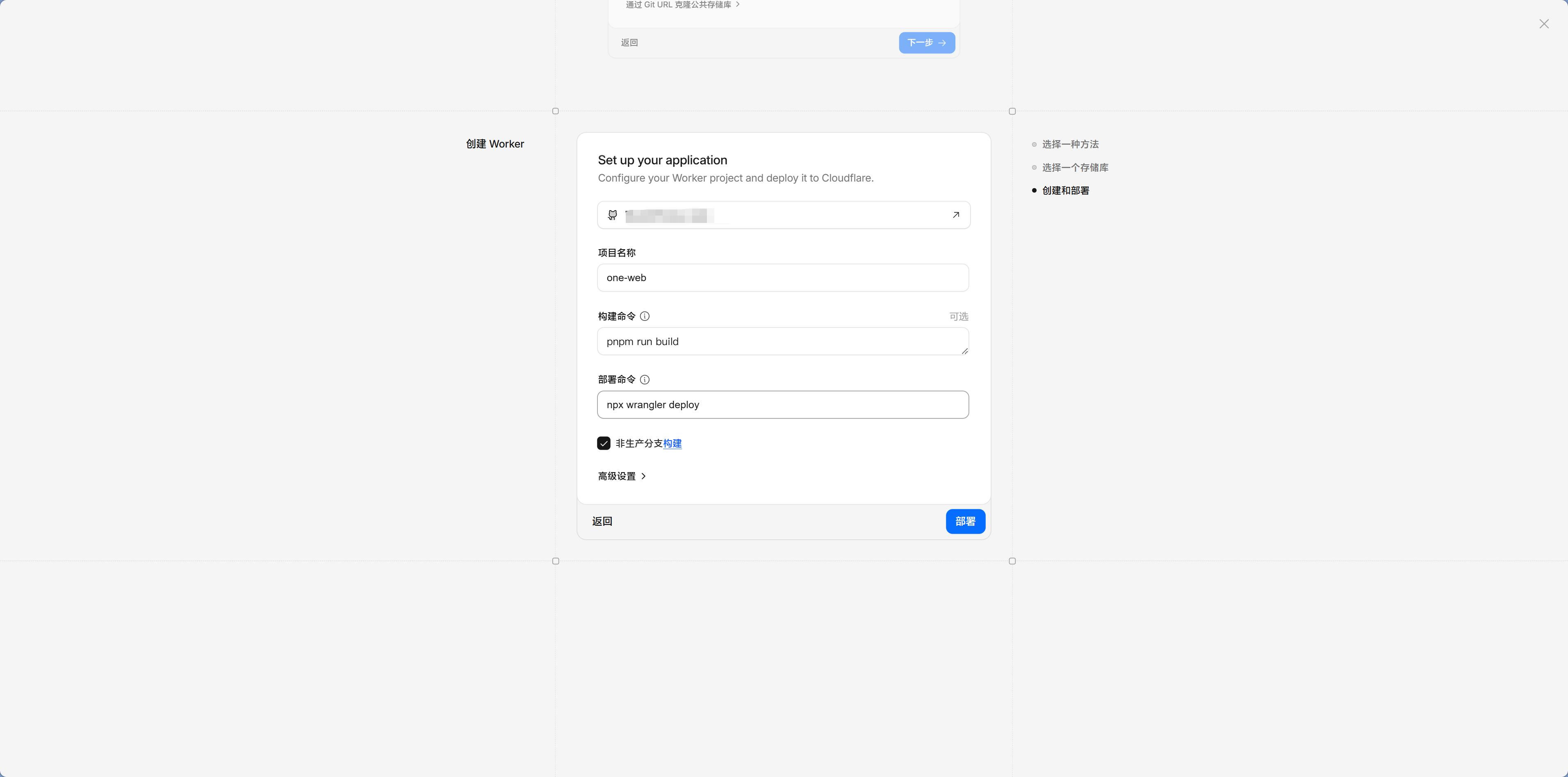
See that? The steps are almost exactly the same as EdgeOne and Vercel.
Cloudflare's Unique Advantages
Besides unlimited bandwidth, Cloudflare also has a full edge computing ecosystem. Workers are Cloudflare's version of Edge Functions—they also run code on CDN nodes, just under a different name. D1 is Cloudflare's own lightweight database, designed to work well with Workers—your current Neon PostgreSQL setup is already more than enough, and D1 is simply another option within the Cloudflare ecosystem. R2 is object storage compatible with the S3 API. If your project may need edge computing capabilities in the future, Cloudflare is a strong option to consider.
Alibaba Cloud ESA Pages: Another Option in China
If you're already an Alibaba Cloud user, or your project mainly targets users in China, Alibaba Cloud ESA (Edge Security Acceleration) is another option besides EdgeOne.
Deployment Workflow
- Sign in to the Alibaba Cloud ESA Pages Console
- Create a Pages project and connect GitHub
- Configure build settings and environment variables
- Choose the acceleration region (similar to EdgeOne, ICP filing is required for mainland China)
- Deploy

ESA is positioned similarly to EdgeOne—both are edge deployment platforms from Chinese cloud providers. Which one you choose mostly depends on which ecosystem you're more familiar with. If you're already using other Alibaba Cloud services (such as OSS or RDS), ESA will be more convenient because your account and billing all stay within the same system.
The Core Workflow Is the Same on Every Platform
By this point, you've probably noticed a pattern: no matter which platform you choose, the core workflow is always these five steps:
Connect GitHub → Select repository → Configure build settings → Add environment variables → DeployThis is no coincidence. All of these platforms solve the same problem: turning the code in your GitHub repository into a website people can access. The underlying logic is the same; only the interface, free tier, and network coverage differ.
Once you've done a full deployment on EdgeOne, you'll be able to get started quickly on any other platform. It's like learning to drive one car—switching to another just means getting used to where the dashboard controls are.
How to Choose
Choosing a platform is like choosing a phone—most of the core functions are similar, so just pick one that feels comfortable to use. But if you want a decision guide:
Are most of your users in China? Choose EdgeOne Pages or Alibaba Cloud ESA. Chinese cloud providers have better edge node coverage in China, so access is faster.
Are most of your users overseas? Choose Vercel (especially for Next.js projects) or Cloudflare Pages. Vercel offers the best developer experience, while Cloudflare has the most generous free tier.
Are your users spread around the world? Cloudflare Pages with unlimited bandwidth + a global CDN is the most worry-free option. With a custom domain, users both inside and outside China can access it quickly.
Not sure? Just pick one and get it running first. Even if you choose the "wrong" one, it doesn't really matter—all platforms work by connecting GitHub + configuring the build, so switching platforms only means repeating the setup once on the new platform. You won't need to change any code. Migration cost is basically zero.
Don't overthink it
Pick one and get it running first—you can always switch later. Your code lives on GitHub and doesn't depend on any specific platform. That's why we emphasized "keeping your architecture independent" in Chapter 6—use standard database connections and standard frameworks so you don't get locked into any one platform.
Tell Claude Code to Deploy
No matter which platform you choose, you can tell Claude Code directly:
"Help me deploy the project to Vercel" (or Cloudflare Pages / Railway / ESA)
Claude Code will guide you through the whole process. But after working through 12.1 and this section, you now understand the core deployment concepts, so you won't feel completely lost if something goes wrong.
Next step
You've chosen a deployment platform. Next, learn about 12.3 CI/CD and Automation so every git push automatically triggers a deployment.