
13.2 Troubleshooting Registration and Access Issues
Goal of this section: Understand ICP filing requirements, learn filing-free options, and diagnose common access errors.
Xiaoming got his domain configured, and the browser address bar lit up with a green lock. He shared the new link in the group chat—and this time, his friends overseas opened it instantly. But his friends in China said, "It opens, but it's kind of slow."
The experienced mentor said, "Your server is overseas, so traffic from China has to go halfway around the world. Of course it's slow. If you want it faster, either move the server to mainland China or use CDN acceleration—a CDN keeps a copy of your website closer to users, so they fetch it from the nearest node instead of going all the way back to the origin every time. But there's a prerequisite for hosting in mainland China—filing."
What is filing
Filing is like needing a business license to open a store. Server in mainland China = store opened domestically = you must register with the authorities. Server in Hong Kong or overseas = store opened outside the country = no domestic business license required.
The formal term is ICP filing: under regulations in mainland China, any website that provides internet information services using servers located in mainland China must complete filing registration with the Ministry of Industry and Information Technology.
In one sentence: Server in mainland China = filing required. Server not in mainland China = not required.
Filing vs. filing-free
| Option | Conditions | Advantages | Disadvantages |
|---|---|---|---|
| Filed | Real-name domain verification + server in mainland China | Fastest access in China, fully compliant | Review period of 1-3 weeks |
| Filing-free | Server outside mainland China (including Hong Kong, Macau, and Taiwan) | Ready to use immediately, no review | Slightly slower access from China |
Filing-free options (recommended for beginners)
Xiaoming didn't want to wait several weeks for review, so the mentor gave him three filing-free options:
Option 1: Choose "Global (excluding mainland China)" on the deployment platform
On EdgeOne Pages or Alibaba Cloud ESA, choose an acceleration region that excludes mainland China, then bind your custom domain. Users in China can access it through the domain. While it's not as fast as mainland nodes, it's still fully usable.
Option 2: Use Vercel / Cloudflare Pages
The servers of these overseas platforms are not located in mainland China, so they are naturally filing-free. Once you bind a custom domain, you're good to go.
Option 3: Choose a Hong Kong node for your cloud server
If you bought a VPS (covered in the next chapter), choose a Hong Kong data center. No filing is required, and latency from China is much lower than with U.S. nodes.
Xiaoming chose option 1—he had already deployed on EdgeOne Pages, so he just needed to make sure the acceleration region was set to "Global (excluding mainland China)" and bind his domain. His friends in China might see slightly slower speeds, but they could access it normally. Once the product grows later, he can consider filing.
Filing process (overview)
If you decide to file, the process generally looks like this:
- Domain real-name verification: Complete real-name verification for the domain holder with the registrar (ID card)
- Choose an access provider: Submit the filing application through a cloud service provider (Alibaba Cloud/Tencent Cloud)
- Fill in information: Website name, responsible person's information, service content, etc.
- Face verification: Complete facial recognition in the mobile app
- Wait for review: Initial review by the provider (1-2 days) + final review by the regulator (5-20 business days)
- Filing approved: Receive an ICP filing number, which must be displayed at the bottom of the website

Filing notes
- Personal filing website names cannot include business-related terms such as "company" or "mall"
- During the filing period, the domain may not be accessible (required in some provinces)
- The filing number must be reviewed annually, or it may be canceled
- Changing access providers (for example, from Alibaba Cloud to Tencent Cloud) requires an "access filing"
Troubleshooting common access issues
After your site goes live, you may run into all kinds of access issues. Don't panic—look at the error code first, then apply the right fix.
HTTP status codes: understanding them like package tracking
Status codes are like package tracking. When you check shipping status, the system tells you where the package is:
- 2xx = Delivered. Everything is normal; the package arrived.
200 OKis the most common "successfully delivered." - 3xx = Being forwarded. The package moved, and the courier is sending it to a new address.
301means a permanent move, and302means temporary forwarding. - 4xx = No such recipient or delivery refused.
404means the address was wrong—no such recipient.403means it reached the door but was refused—you don't have permission. - 5xx = The distribution center is overloaded. It's not your fault; something broke on the server side.
500means a code error, and502means the relay station is down—your request reached an intermediate forwarding server, but it couldn't reach the application server behind it.
| Status Code | Meaning | Whose issue is it | Common scenarios |
|---|---|---|---|
| 2xx | Success | No issue | 200 OK |
| 3xx | Redirect | Normal redirect | 301 permanent move, 302 temporary redirect |
| 4xx | Client error | Your issue | 403 no permission, 404 page not found |
| 5xx | Server error | Server-side issue | 500 code error, 502 gateway error |
Remember: just look at the first digit and you can tell who's at fault.
Troubleshooting decision tree
Site won't open? Follow this process:
Step 1: What error are you seeing?
→ Seeing 403 Forbidden? Go to "403 troubleshooting" below. → The page keeps spinning and eventually times out? Go to "Timeout troubleshooting" below. → It opens but is very slow? Go to "Slow access from China" below. → The browser says certificate error / not secure? Go to "HTTPS certificate error" below.
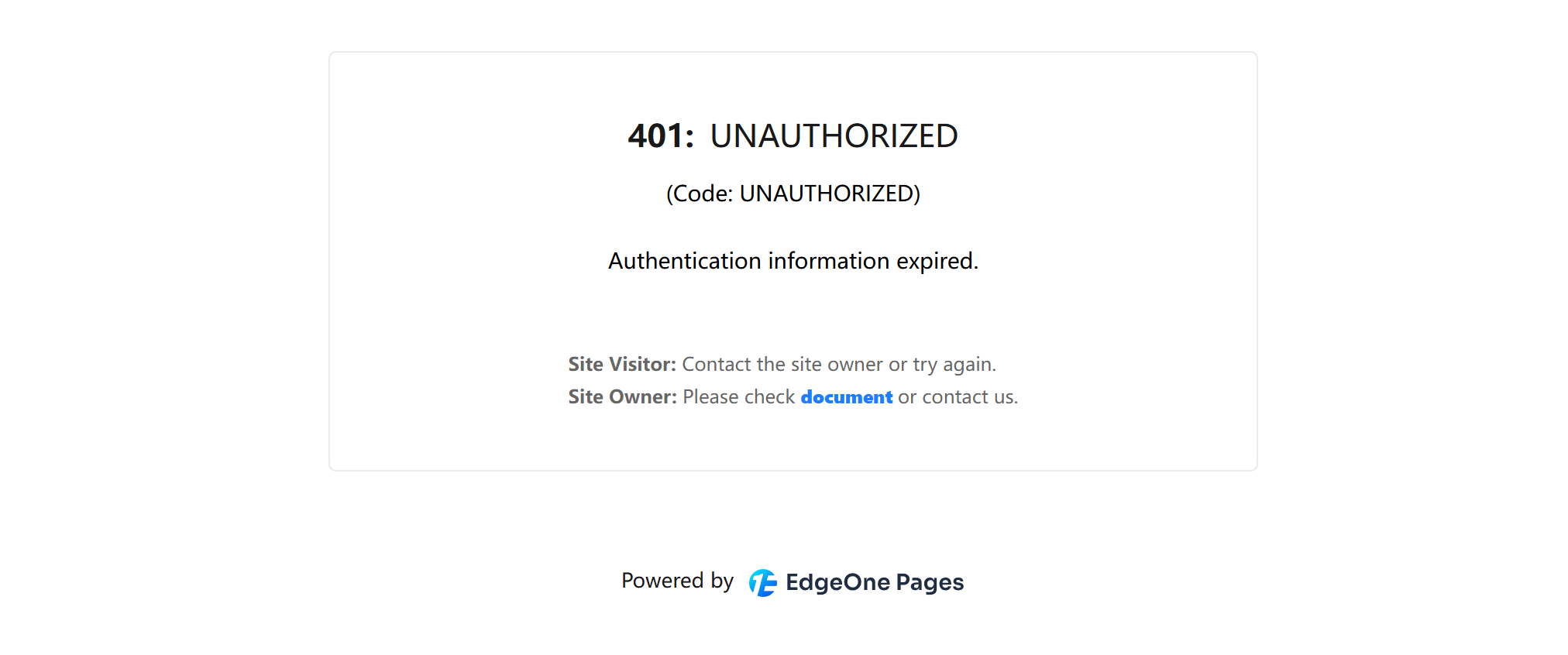
**401:**UNAUTHORIZED
Cause: Default domains on domestic platforms have access restrictions (authentication protection), and only the project owner can access them through a tokenized link.
Solution: Bind a custom domain. See 13.1 Domain Purchase and DNS Configuration for details. After binding, anyone can access your site normally through your domain.
Page won't open (timeout)
Troubleshooting steps:
- First, confirm whether domain resolution has taken effect: run
nslookup your-domainin the terminal (basically asking DNS: "Do you recognize this domain? If so, what's its address?") - No result returned? DNS may still be propagating—if you just configured it, wait 10-30 minutes
- DNS is normal but the site still won't open? Check whether deployment succeeded on the deployment platform
- If you're using Cloudflare proxying, check whether the SSL/TLS mode is set to "Full (strict)"
Slow access from China
Cause: The server is overseas, and physical distance adds latency.
Solutions (in recommended order):
- Use Cloudflare CDN acceleration (free and noticeably effective)
- Switch to a domestic platform (EdgeOne / ESA) + filing
- Use a domestic CDN for static assets
HTTPS certificate error
Cause: The certificate hasn't been issued yet, or the domain doesn't match the certificate.
Solution:
- Wait for the platform to issue it automatically (usually 5-15 minutes)
- Check whether the domain correctly points to the deployment platform (whether the CNAME record is correct)
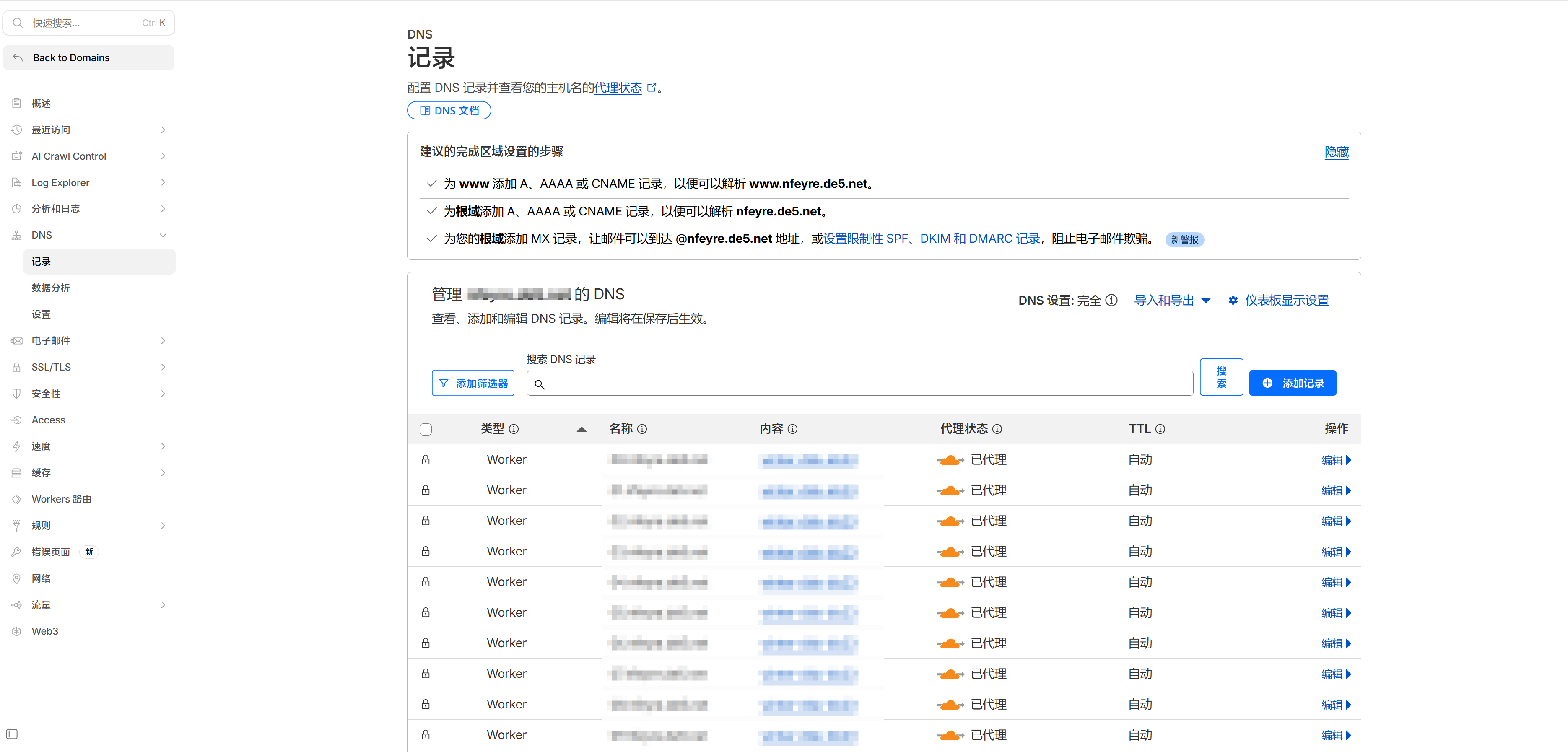
- If you're using Cloudflare proxying, make sure the SSL mode is set to "Full (strict)" rather than "Flexible". In Flexible mode, the segment from Cloudflare to your server is transmitted in plaintext—it's like sealing only the first half of the envelope while leaving the second half open. Full (strict) is what actually keeps the whole path sealed
Let AI help you troubleshoot
When you run into access issues, give the full error information to Claude Code and it can help you diagnose the problem. For example: "My website myapp.com returns 403 in China—help me troubleshoot the cause," or "My domain is configured with a CNAME but still won't open—help me check the DNS configuration."
The key is to clearly describe the error code, domain, and what actions you took—the more complete the information, the faster the troubleshooting.
Closing thoughts
The domain is purchased, DNS is configured, and you now know how to troubleshoot access issues. Xiaoming's app now has a professional domain name and is ready to be officially shared with the world.
Your project has reached this point too—from starting at zero to now having a complete full-stack app, automated deployment, and a custom domain. If you'd like to submit to the practical projects section of this tutorial, feel free to contact us. Selected projects will receive an exclusive subdomain and a certain amount of cloud resource support, so you can focus on code and creativity instead of getting bogged down in domains and operations.
The domain is configured and the site is running. If you want more control—your own server, your own rules—the next chapter will walk you through buying a VPS.
Previous section: 13.1 Domain Purchase and DNS Configuration
Next chapter: Chapter 14: Cloud Server Operations and Project Deployment