
14.5 Other Fun Applications
Goal of this section: Discover more ways to use your server—install all kinds of practical open-source apps with the 1Panel app store or Docker Compose.
Xiaoming's project was deployed, the domain was connected, and HTTPS was showing that reassuring green lock. He glanced at the resource monitor in the 1Panel dashboard—there was still plenty of CPU and memory left. "What else can I install?"
The old hand said, "Once you have your own server, it's like having your own little plot of land. Besides growing staple crops (deploying your project), you can also grow some fun things."
Umami: Website Analytics
One-line intro: A privacy-friendly website analytics tool and an open-source alternative to Google Analytics.
Why use it:
- It doesn't track user privacy and is GDPR-compliant
- The interface is clean, and the data is easy to read at a glance
- It's self-hosted, so your data stays completely in your hands
Installation method: Search for "Umami" in the 1Panel app store and install it with one click. In the installation form, you need to fill in the name, version, port (default is 3000), database service (select an installed PostgreSQL or MySQL instance from the dropdown), database name, username, and password.
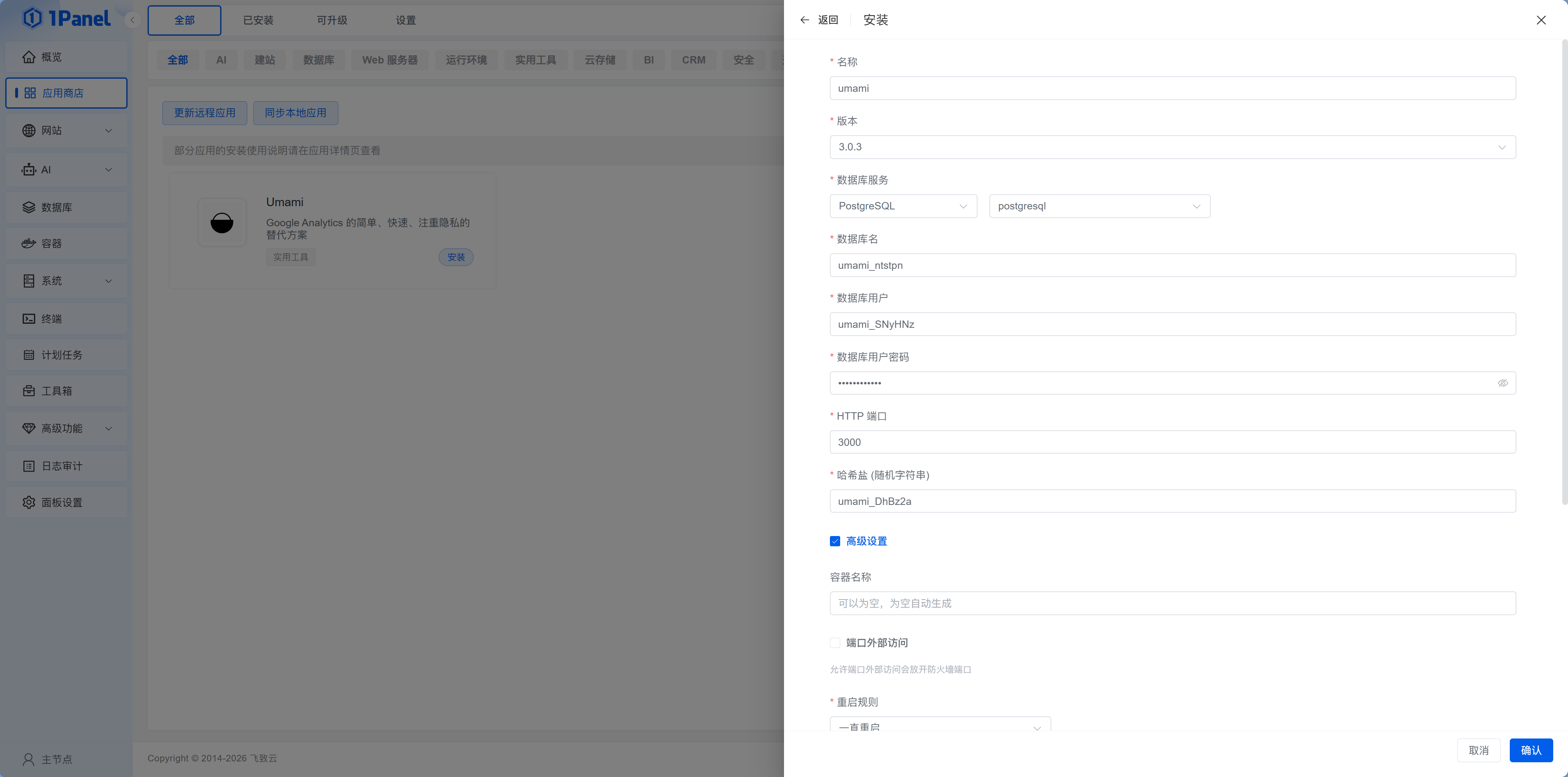
When Xiaoming installed Umami, he saw the PostgreSQL instance he had installed earlier in the "Database Service" dropdown. He selected it, entered the database name umami and the password, then clicked confirm. A few seconds later, Umami was up and running.
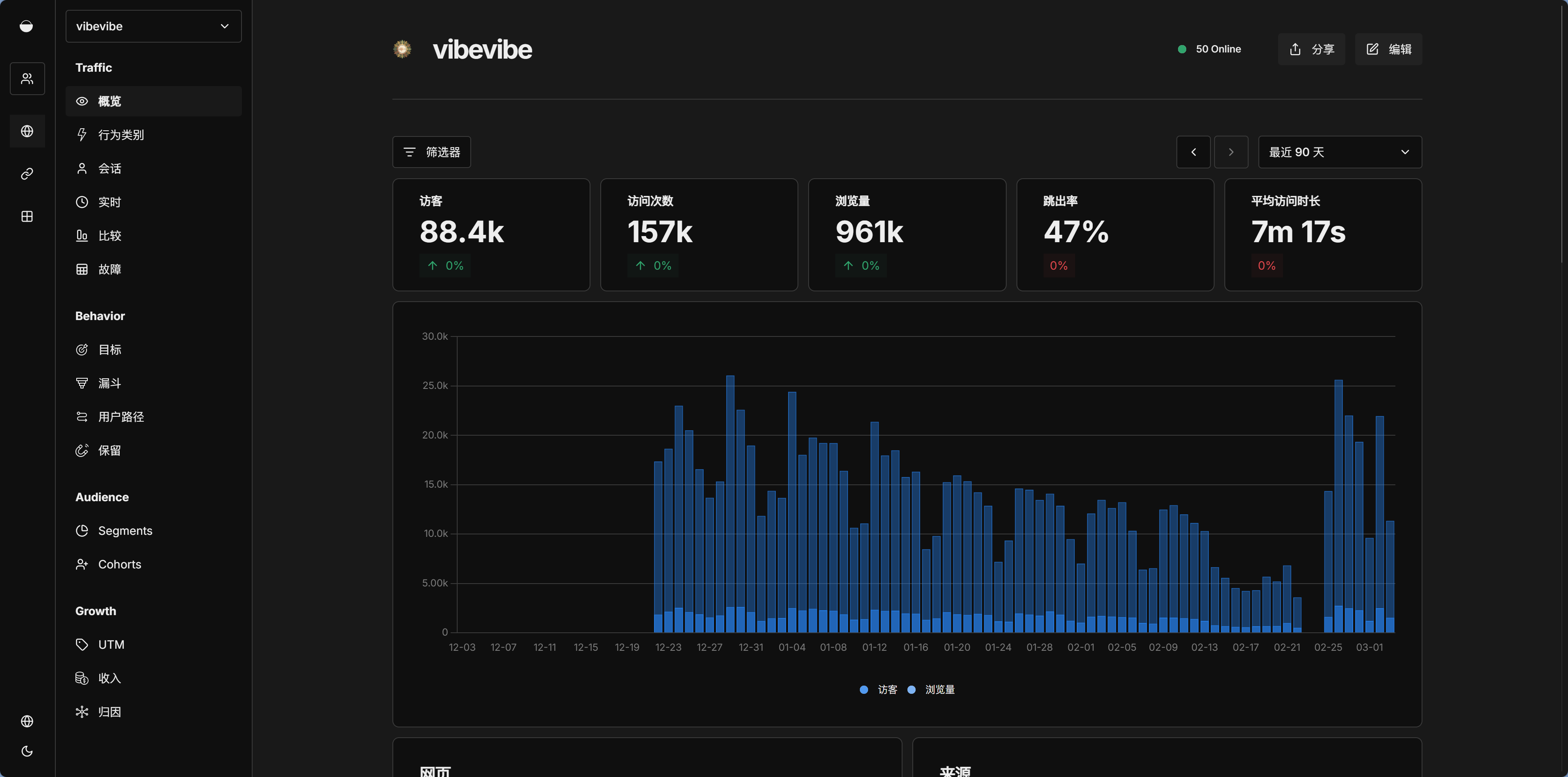
After installation, add your website in the Umami dashboard, and it will generate a tracking snippet. Add that snippet to your website's <head>:
<script
  defer
  src="https://your-umami-url/script.js"
  data-website-id="your-website-id"
></script>
Xiaoming added the tracking snippet to the VitePress head configuration, then rebuilt and redeployed. A few hours later, he checked the Umami dashboard again and saw a few visit records already there—they were all from his own testing, but it still felt satisfying to see the data actually coming in.
After installing Umami, Xiaoming opened it again the next day—"So people really are using my website!" Watching the visitor data start ticking up from zero was more exciting than any console.log.
Ties in with Chapter 15
The detailed configuration and usage tips for Umami are covered more deeply in Chapter 15: SEO, Sharing, and Analytics. For now, just get it installed—we'll fine-tune it later.
n8n: Automation Workflows
One-line intro: An open-source automation workflow platform, similar to Zapier, but self-hosted.
What it can do:
- Automatically send welcome emails when new users register
- Send notifications to WeChat/Feishu when there is a new GitHub Issue
- Fetch data on a schedule and generate reports
- Connect different APIs to build automated processes
Installation method: Search for "n8n" in the 1Panel app store and install it with one click.
Xiaoming opened the n8n editor interface. On the left were all kinds of nodes—HTTP requests, scheduled triggers, 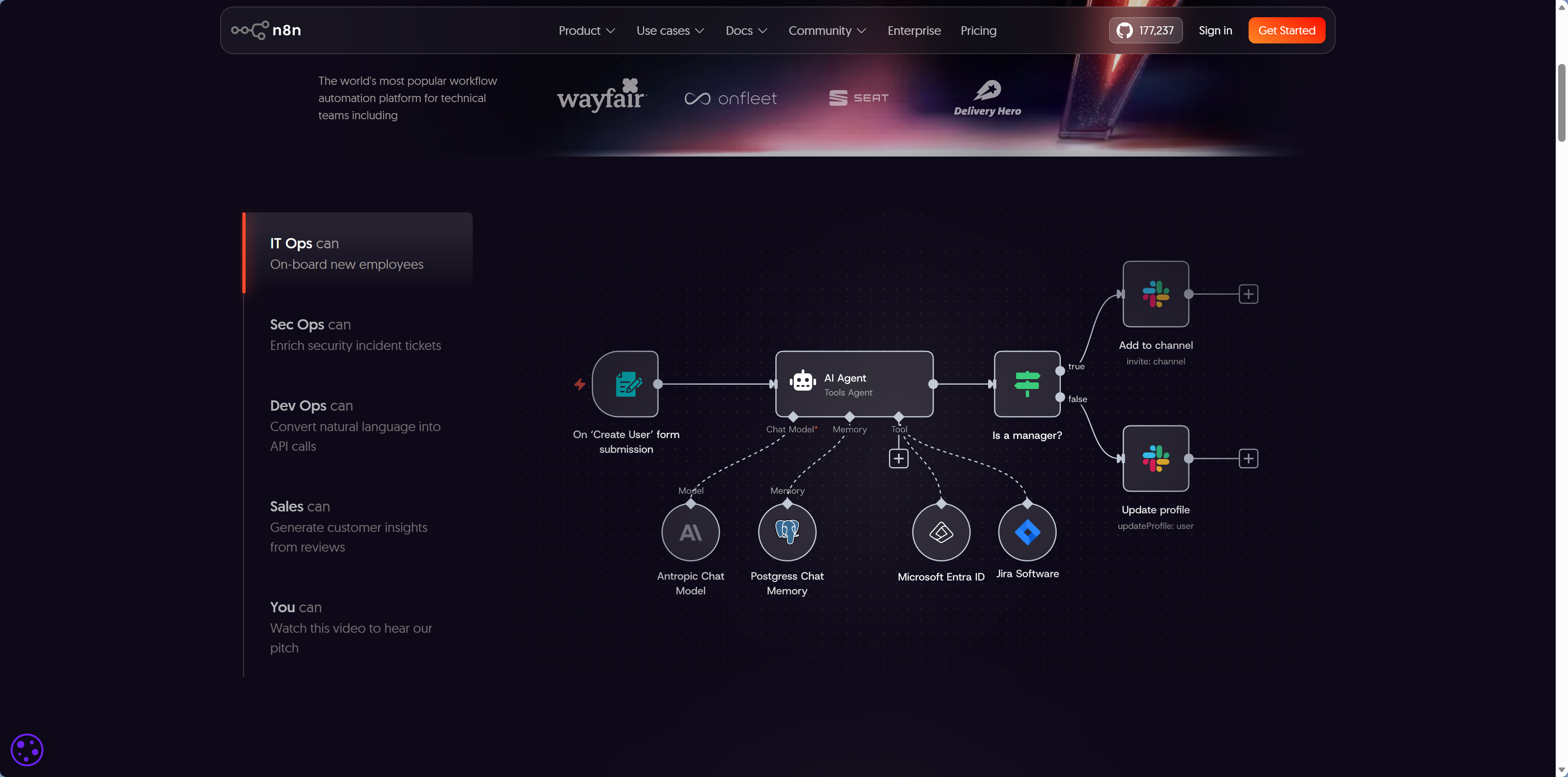 email sending, GitHub, Slack... Drag a "Scheduled Trigger" node onto the canvas, then drag a "GitHub" node and connect them with a line, and you've got a workflow. No coding required—just drag, drop, and configure.
n8n workflows are visually edited with drag-and-drop, so there's no need to write code. You can think of it as "installing an automation butler on your server."
After installing n8n, Xiaoming set up a simple workflow: every morning at 9:00, it automatically checks whether there are any new Issues in his GitHub repository, and if there are, it sends a message to his email. "I used to check only when I happened to remember. Now it gets pushed right in front of me automatically."
Bitwarden: Password Manager
One-line intro: An open-source password management service and a self-hosted alternative to 1Password.
Why you need it:
- All passwords are stored on your own server without relying on a third party
- Supports browser extensions and mobile apps
- Autofills passwords and generates strong passwords
- Syncs across multiple devices
Installation method: Search for "Bitwarden" in the 1Panel app store and install it with one click.
Note
Bitwarden in the app store is actually Vaultwarden (a lightweight Rust implementation of Bitwarden). It is fully featured but uses fewer resources.
Alist: File Manager
One-line intro: A file listing app that lets you manage various cloud drives and local storage in one place.
What it can do:
- Browse and download files on your server through a web page
- Mount Aliyun Drive, Baidu Netdisk, OneDrive, and more
- Supports online preview for images, videos, and documents
- Can be used as a simple file sharing service
Installation method: Search for "Alist" in the 1Panel app store (note that the official name is AList) and install it with one click. During installation, you can configure the WebUI port (default 5244) and the S3 port (default 5246). After installation, go to the "Containers" page in 1Panel, find the AList container, click to connect to the terminal, and run ./alist admin random to generate a random password (or ./alist admin set YOUR_PASSWORD to set one manually), then log in with that password.
After installing Alist, Xiaoming followed the instructions to generate an admin password in the container terminal and logged in. He first mounted a local directory on the server, then connected his Aliyun Drive account as well. When he opened the Alist web interface, the two storage sources were displayed side by side. He could click in to browse files and preview images and videos online. He sent the Alist URL to a friend: "Look, I built my own cloud drive."
When your files are scattered across Aliyun Drive, Baidu Netdisk, OneDrive, and other places, finding something means logging into each one and digging around—Alist brings them all together on a single page so you can browse them like a unified file manager.
Quick App Recommendations
| App | Purpose | Installation Difficulty | Recommendation |
|---|---|---|---|
| Umami | Website analytics | Easy (app store) | ⭐⭐⭐ Highly recommended |
| Bitwarden | Password management | Easy (app store) | ⭐⭐ Install if needed |
| n8n | Automation workflows | Easy (app store) | ⭐⭐ Install if needed |
| Alist | File management | Easy (app store) | ⭐⭐ Install if needed |
Looking at the row of apps running in the 1Panel dashboard—project, database, analytics, monitoring—Xiaoming remembered what the old hand had said: "Everything is under control." From choosing a server to deploying apps, from configuring a domain to installing monitoring, this server was running his project, complete with a domain, HTTPS, analytics, and downtime alerts. That feeling of control is something Serverless platforms simply can't offer.
Next Chapter
In the next chapter, we'll help more people discover your website—SEO, social sharing, and analytics. Chapter 15: SEO, Sharing, and Analytics.