
12.3 CI/CD and Automation
Goal of this section: Understand the core concepts of CI/CD so builds, tests, and deployments happen automatically after you push code.
The day after Xiao Ming deployed successfully, he fixed a bug and pushed the change to GitHub. A few minutes later, he opened the website—and the bug was already fixed.
"I didn't click deploy?" Xiao Ming was a little confused.
In fact, from the moment he connected GitHub in 12.1, Xiao Ming had already been using CI/CD—he just didn't realize it.
You're Already Using CI/CD
CI/CD sounds advanced, but in plain English it really means just two things:
- CI (Continuous Integration): Every time you push code, checks and builds run automatically to make sure everything is okay
- CD (Continuous Deployment): After the checks pass, the code is automatically released to production
Git Hooks 位置
GitHub Actions 流水线
TDD 循环
You only need to write code and push it; everything in between is automated.
When you connected your GitHub repository to EdgeOne Pages in 12.1, the platform registered a webhook on GitHub. It's like when you place an order on Taobao and the logistics system proactively sends you a text saying "shipped"—you don't have to refresh the tracking page every five minutes. A webhook works the same way: it's a "notify me when something happens" mechanism. Every time you git push, GitHub proactively tells EdgeOne: "Hey, there's new code." After EdgeOne receives the notification, it automatically pulls the code, installs dependencies, runs the build, and deploys it online.
This is "push-to-deploy," and it's also the simplest form of CI/CD.
Built-in CI/CD on the Platform
If you're using platforms like EdgeOne Pages, Vercel, or Cloudflare Pages, CI/CD is already built in and doesn't require extra configuration. After connecting GitHub, the platform automatically responds to three kinds of events:
- Push to the
mainbranch → Automatically deploy to the production environment (the live version users access) - Create a Pull Request → Automatically build and generate a preview link
The preview link is the most intuitive result of CI/CD.
When You Need a Custom Pipeline
The platform's built-in "push-to-deploy" is already enough for personal projects. But as your project gets more complex, you may want to do more before deployment:
- Automatically run tests to make sure new code hasn't broken existing functionality
- Automatically check code style to keep the codebase clean
- Automatically check for type errors to prevent simple bugs from reaching production
One of Xiao Ming's friends made a suggestion: "Let's add automated testing so buggy code doesn't get merged." This is exactly a continuation of the testing section in Chapter 9—you wrote tests, but if you have to run them manually every time, it's easy to forget. If tests run automatically on every push, nothing gets missed.
That's when you need GitHub Actions—GitHub's built-in CI/CD tool.
GitHub Actions: An Automation Recipe
GitHub Actions 部署流水线
GitHub Actions is configured through YAML files in the .github/workflows/ directory. You can think of it as a "recipe" that tells GitHub when to do something, in what steps, and what exactly to do.
A typical configuration includes three parts:
Trigger conditions (on): Define when it runs. For example, when code is pushed to the main branch or when a PR is created.
Runtime environment (runs-on): Specifies which system to run on (usually ubuntu-latest). GitHub starts a temporary virtual machine to execute the job—then destroys it afterward, ensuring every run starts from a clean environment.
Execution steps (steps): The specific things to do, executed in order:
- Pull the code
- Install dependencies (pnpm/npm)
- Check code style (lint)
- Build the project (build)
- Run tests (test)
GitHub Actions is basically a recipe: pull the code, install dependencies, check formatting, build, and test. It's exactly the same as what you do during local development, except it runs automatically every time you push.
If any step fails (for example, if tests don't pass), the entire pipeline stops, and GitHub shows a red ✗ on the PR page. That means there's a problem with the code in that PR and it shouldn't be merged.
Branches and Deployment Environments
In Chapter 11, you learned the concept of branches. In the context of CI/CD, different branches usually correspond to different deployment environments:
- The
mainbranch corresponds to the production environment—the live version all users access. Merging code intomainmeans it's going live. feature/*branches correspond to preview environments—the preview links automatically generated for each PR, visible only to PR participants.
For personal projects, these two layers are usually enough. If team collaboration requires more environments (for example, a develop branch corresponding to a development environment), deployment platforms all support this configuration—just have Claude Code help you set it up.
Do Personal Projects Need GitHub Actions?
Honestly, most personal projects don't. The deployment platform's built-in "push-to-deploy" already covers the most essential needs.
When should you add GitHub Actions? When you have collaborators, or when your project's test coverage has improved. If you wrote a suite of tests in Chapter 9 and want them to run automatically on every PR, then it's worth adding a GitHub Actions configuration.
How do you add it? Just tell Claude Code directly:
"Help me configure GitHub Actions to automatically run lint, build, and test for every PR"
Claude Code will generate the configuration files under .github/workflows/ for you. You just need to commit them to GitHub, and they'll take effect.
Gradual automation
Don't try to build the perfect CI/CD pipeline from the start. Begin with the platform's built-in "push-to-deploy," and then gradually add GitHub Actions as the project becomes more complex, gains collaborators, or adds tests. Automation is meant to save effort, not create extra hassle.
Practical Example: The CI/CD Configuration Used in This Tutorial
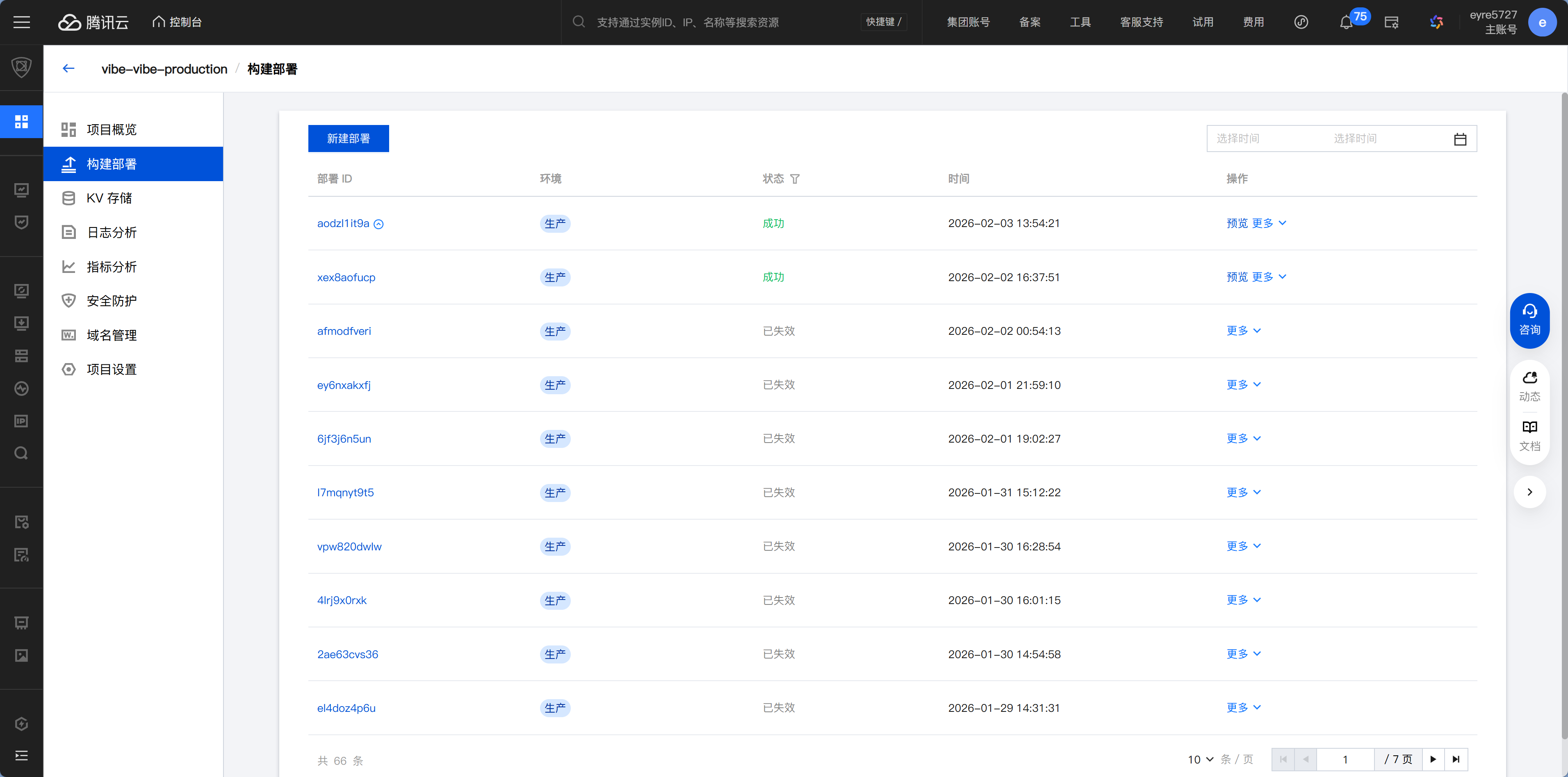
This tutorial repository uses the CI/CD capabilities of the CNB platform, and the configuration file is .cnb.yml. Although the platform is different, the core idea is exactly the same as GitHub Actions—it's all about "when to do what."
Branch strategy:
- Push to the
masterbranch → Automatically deploy to the production environment (vibe-vibe-production) - Push to the
developbranch → Automatically deploy to the development environment (vibe-vibe-develop) - Create a PR → Automatically build for verification
- PR is mergeable → Automatically squash merge and delete the source branch
Deployment process (same as your project):
pnpm install --frozen-lockfile  # Install dependencies
pnpm build                       # Build the site
edgeone pages deploy             # Deploy to EdgeOne Pages
Environment variable management: Use imports to bring in private configuration files (similar to GitHub Secrets), so API Tokens don't have to be written directly in the config.
YAML anchor reuse: Use &docs_deploy_pipeline to define the deployment flow once, then reuse it in multiple places with <<: *docs_deploy_pipeline to avoid duplicated configuration.
This configuration demonstrates a complete multi-environment CI/CD workflow: development branches automatically deploy to a test environment, the main branch automatically deploys to production, and PRs are automatically validated and merged. Your personal project doesn't need to be this complex, but once it grows to the point of needing multiple environments, this is a useful template to reference.
Next step
Now that CI/CD is set up, pushing code sends it live automatically. Next, learn about 12.4 Operations Basics and Cost Optimization to understand how to monitor application health and control costs.