
Chapter 10: Localhost and Public Access
Preface
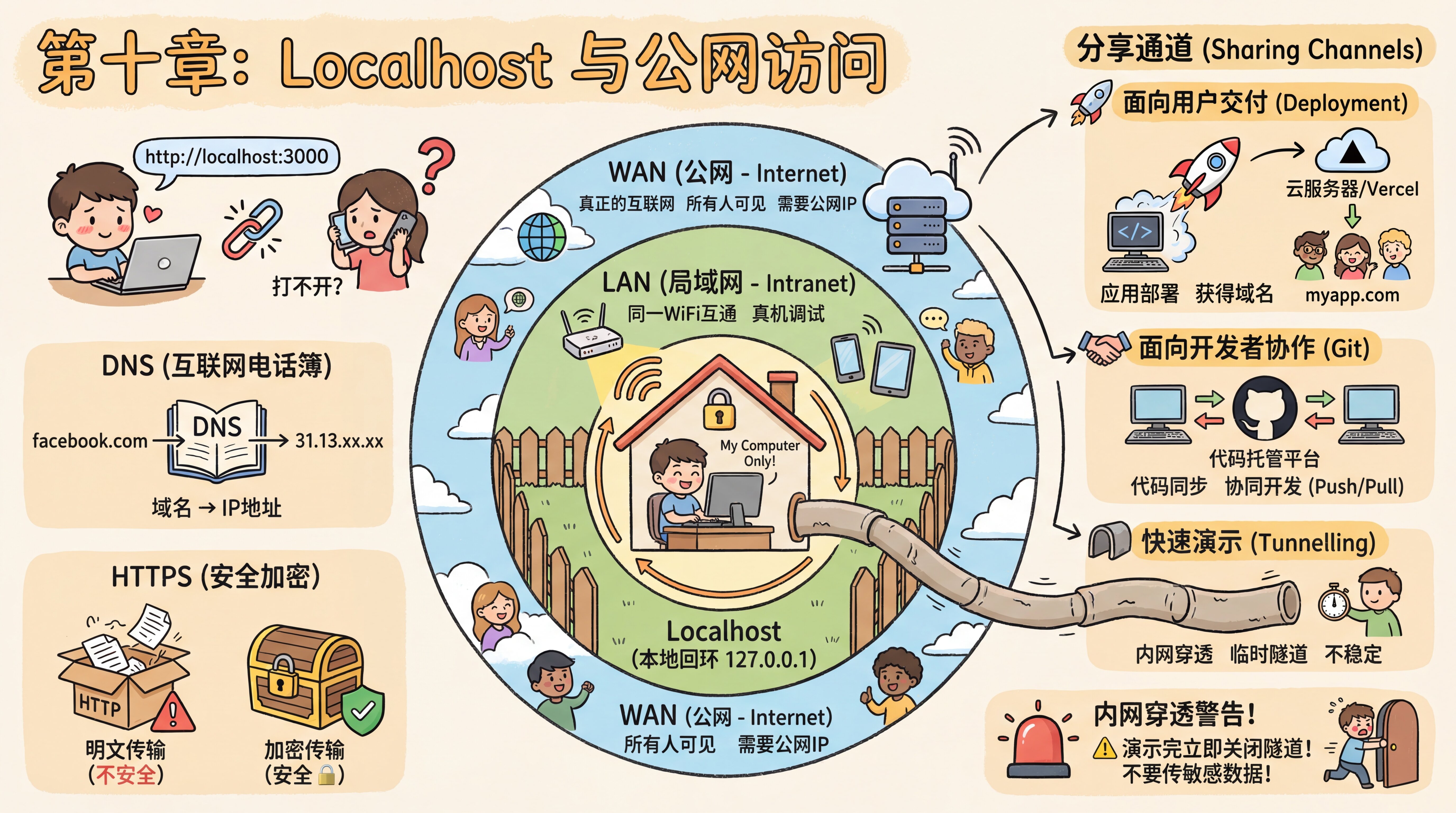
Xiaoming’s tests were all green. The rating feature was stable, search hadn’t been accidentally broken, and the detail page opened normally—Chapter 9’s safety net had caught everything. Eager to show off the results to a friend, he casually copied http://localhost:3000 from the browser’s address bar into WeChat.
A minute later, his friend replied with a question mark: "It won’t open?"
Xiaoming stared at the screen, confused. It works perfectly fine on my computer, doesn’t it?
The seasoned mentor walked by, glanced at the chat history, and smiled. "Only you can access localhost. Sending that to your friend is basically telling them to access their own computer—and your project isn’t running on their machine."
"Then how can I let them see it?"
"First understand how networks are layered, and then you’ll know what to do."
This chapter starts with Xiaoming’s awkward moment and helps you understand what localhost really is, the three layers of networking, and how to temporarily let a friend view your project.
Sections in This Chapter
| Section | Content |
|---|---|
| 10.1 From Localhost to the Internet | localhost loopback address, LAN real-device debugging, firewall troubleshooting, and why deployment is necessary |
| 10.2 Intranet Tunneling: Let Friends Take a Quick Look | tunneling principles, hands-on with Cloudflare Tunnel, alternative options, and security considerations |
Previous Chapter: Chapter 9: Feature Testing and Automation
Next Chapter: Chapter 11: Git Version Control and Cross-Platform Collaboration